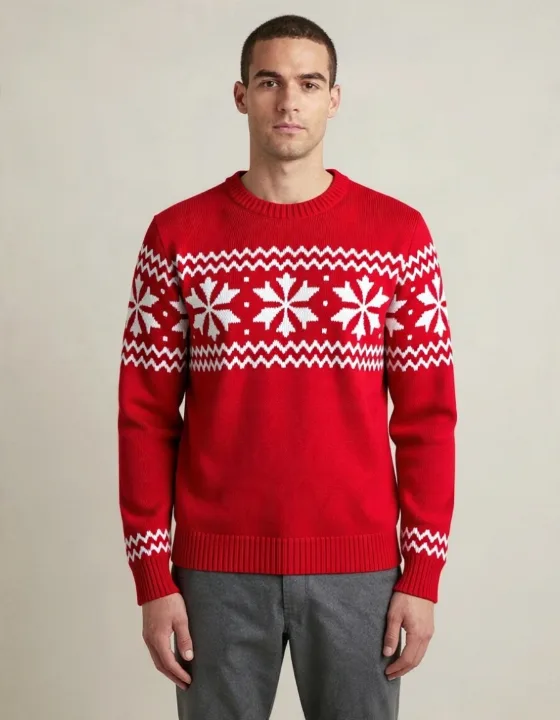
A Christmas sweater
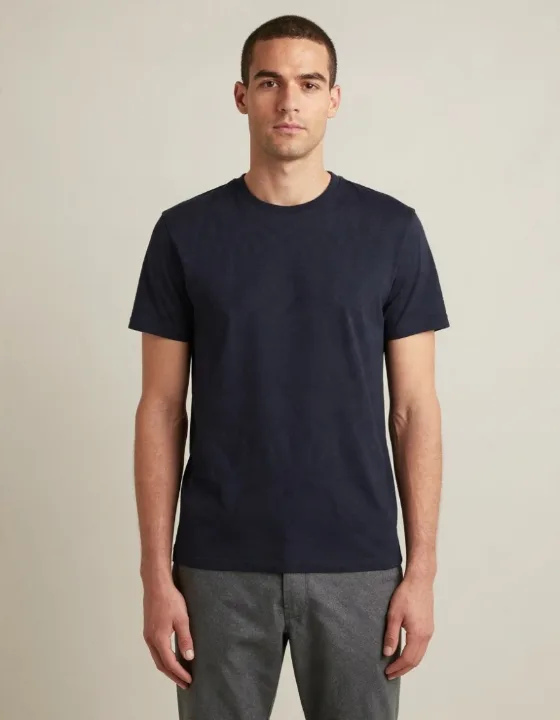
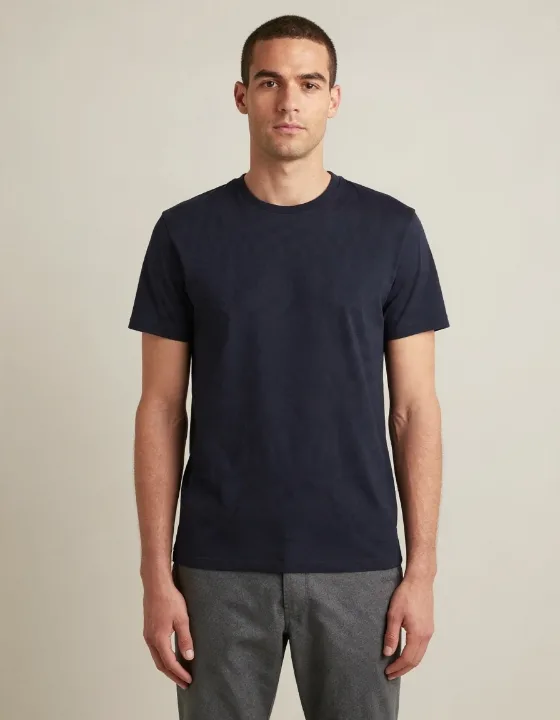
Only the sweater changed: the grey chinos stayed, because the description named nothing else.
Upload a photo of a person, then pick an outfit or describe one in a few words. The AI changes the clothes and keeps the face, hair, pose and background as they were.
1Your photo
2Pick an outfit
Describe only the clothes. When this box has text, it is used instead of the picked outfit.
2 credits · Same price for every outfit
Check the box above to change the clothes.
Real runs of this tool with the ready-made outfits, on a man and a woman: the photo and the result as delivered. Both people were generated by AI, so no real person is shown.
Only the sweater changed: the grey chinos stayed, because the description named nothing else.
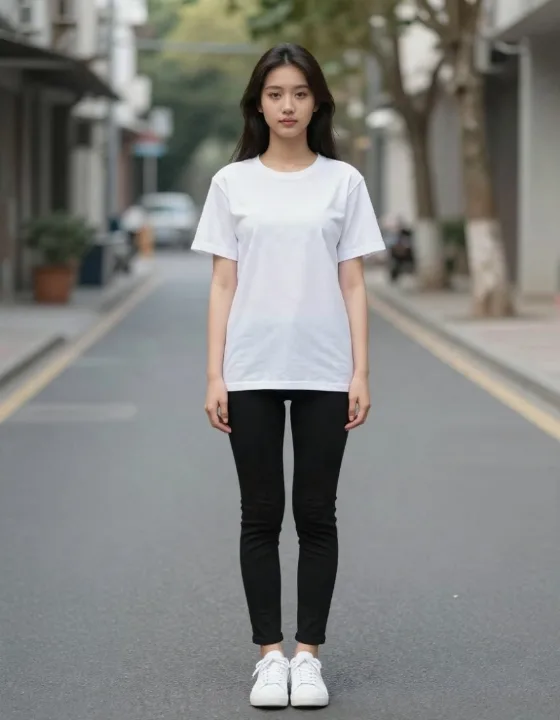
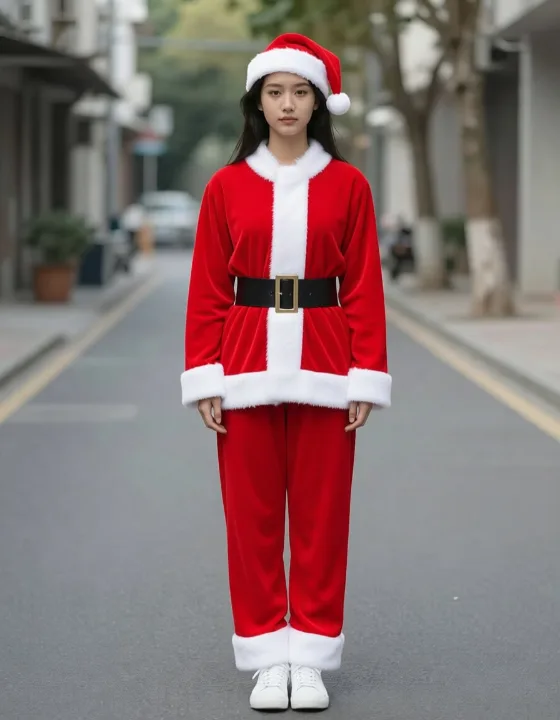
The whole outfit changed in one run: jacket, trousers, belt and hat, with her face as it was.
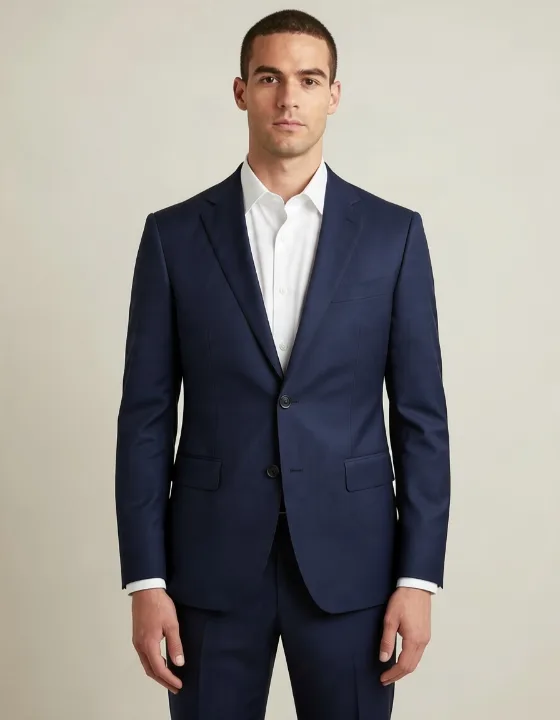
Navy suit and open-collar white shirt; the jawline shifted slightly, the pose and light did not.
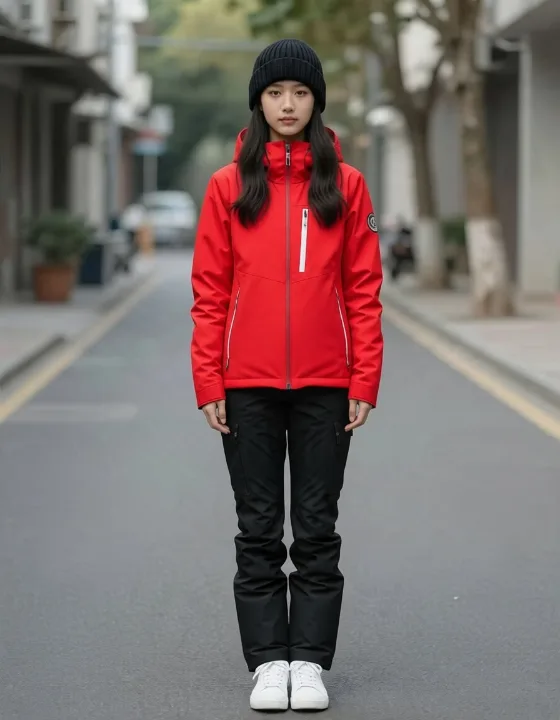
Ski jacket, ski trousers and beanie; the sneakers stayed, because the description named no boots.
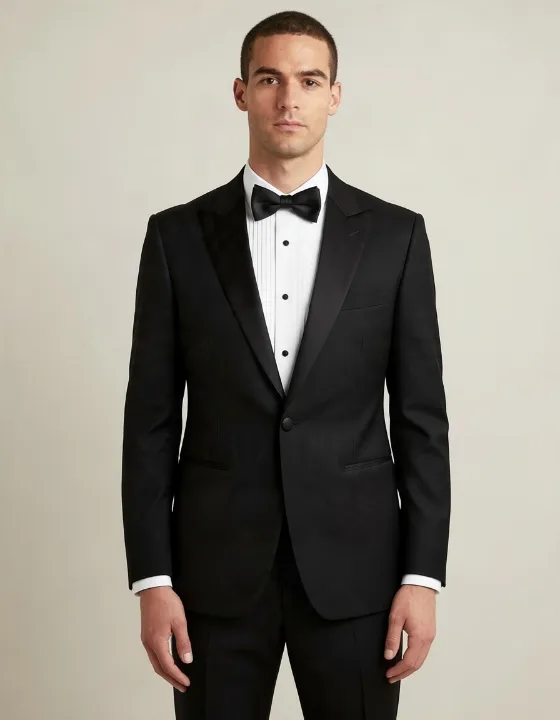
Tuxedo, pleated shirt and bow tie; the jaw shifted slightly, and he is clearly the same man.
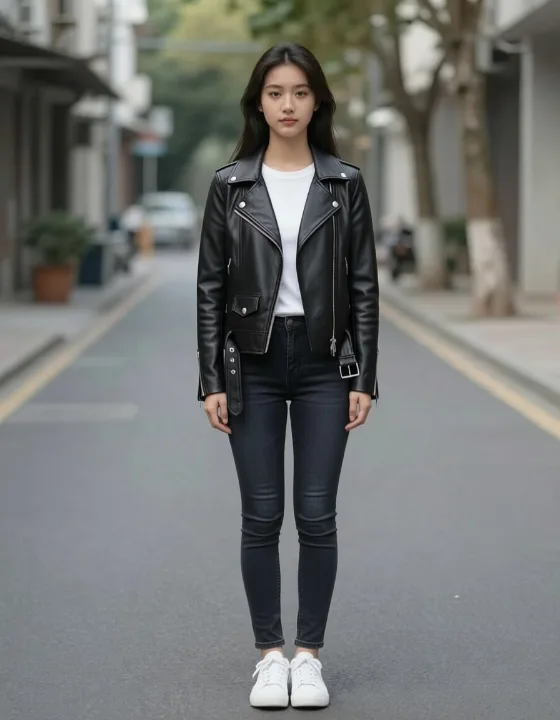
Biker jacket, white T-shirt and dark jeans: the trousers changed too, as the description asked.
Three steps: a photo, an outfit, a click.
One person, full body or from the knees up, facing the camera or half-turned. The photo is resized in your browser before upload.
Choose a ready-made outfit, or type the clothes you want, for example “a red velvet evening dress”. Your description is used instead of the picked outfit.
Tick the permission box and press Change clothes. Compare before and after with the slider, then download the JPG.
An AI outfit changer is only useful if the person still looks like themselves. This is what we saw in our test runs.
The hairstyle, body shape and pose come from your photo, and the person stayed recognisable in every test run. In a few runs the jawline or face shape shifted slightly, most often under a wide hat brim.
The background, light and framing are kept, and the result has the shape and size of your photo.
The new outfit replaces the old one instead of sitting on top of it: a T-shirt and trousers turned into a full Santa suit. Pieces your description does not mention may stay, as the grey chinos under the Christmas sweater and the sneakers under the ski outfit did.
Colours, fabrics and cuts you name are followed; what you leave open is up to the AI. The more exactly you describe the outfit, the closer the result.
Under the ready-made outfits there is a text box. Write the clothes you want in up to 200 characters; your words replace the picked outfit, and the tool keeps the rest of the photo.
Write only about the clothes. Keeping the face, hair, body and background is built into the tool, so you do not need to ask for it.
List each piece you want changed, as in “a camel wool overcoat over a grey knit sweater, with a dark knit scarf”. Pieces you leave out may stay as they are in your photo.
“A tailored navy business suit with a white shirt” gives a more predictable result than “a suit”.
Swimwear, underwear, see-through clothing and requests to remove clothes are refused before any credits are used. Outfits copying a film character or a brand's logo are not allowed by our terms.
Try a look on yourself before a holiday, an event, a trip or a photo shoot.
Try a Christmas sweater or a full Santa suit for a holiday photo, or a cowboy outfit for a themed party.
The ready-made outfits are not tied to gender: a suit, a ski outfit or a Christmas sweater works for anyone, and the examples above use both a man and a woman.
See a graduation gown and cap or black tie on yourself, or describe the outfit for a wedding in your own words.
Try a ski outfit before a trip, a winter coat for the cold months, or streetwear and a leather jacket for every day.
The names overlap. An AI clothes changer (also called an AI clothing changer) and an AI clothes swap both replace what a person wears in a photo; virtual try-on usually means putting one specific garment, from a shop's product picture, on a person.
This page works from an outfit you pick or describe: you get clothes that match the words, not a copy of one product.
| Aspect | AI clothes changer (this page) | Virtual try-on |
|---|---|---|
| What you give it | Your photo and an outfit, picked or described | Your photo and a picture of the garment |
| Which garment you get | One the AI draws from the description | The one in the picture |
| Good for | Trying looks and outfit ideas on yourself | Checking one product before buying it |
For other edits to your photo, such as the background or the light, use the image to image editor. Open the image to image editor
Something not working? Write to us support@imagetoimage.io
New accounts get free credits to start. Each clothes change costs 2 credits, whichever outfit you pick or describe.
Yes. You can add your photo and choose an outfit without an account, but generating needs a free account. Your photo, outfit and description stay in the panel while you sign in.
No. The downloaded JPG has no watermark.
The face, hair, body and pose come from your photo; only the clothes are redrawn. In our test runs the person stayed recognisably the same; in a few the jawline or face shape shifted slightly, most often under a hat brim.
Yes. The background, light and framing come from your photo; in all our test runs the street or wall behind the person stayed the same.
Yes. Type the clothes you want in the box under the ready-made outfits, up to 200 characters. Your description is used instead of the picked outfit.
Usually. Name only the piece you want, such as “a red knit sweater”. Pieces you do not mention often stay as they are: in the Christmas sweater example the grey chinos were kept. This is likely, not guaranteed, so check the result.
Not on this page. The clothes changer works from a description, which gave more reliable results in our tests than copying a garment from a second picture.
No. Swimwear, underwear, lingerie and see-through clothing are not allowed. Descriptions asking for them, or for clothes to be removed, are refused before any credits are used, and results showing nudity are blocked.
One adult, full body or from the knees up, facing the camera or half-turned, with the arms relaxed. Group photos, back views and mirror selfies are not recommended.
The result has the shape and size of your photo after the resize, about one megapixel. For a larger picture, enlarge it with the AI image upscaler afterwards.
Usually seconds. The time depends on how busy the AI model's servers are, so it is not the same for every run.
JPG, PNG and WebP up to 20 MB. The photo is resized in your browser to about one megapixel before upload, so large phone photos are fine.
Yes. Upload from your camera roll, generate and download on the phone.
No. Each run takes one photo of one person. For another photo, run it again.
If you have bought credits, yes, within our terms of service; free-credit results are for personal use. You are responsible for having the rights to the photo you upload, and the terms do not allow outfits copying a brand's logo or a film character.
Only a photo of yourself, or of an adult who has agreed to it. Before each run you confirm that you own the photo or have the person's permission, and we record that confirmation with the run. Photos of children are not allowed.
Uploaded photos are deleted within 48 hours. Results are kept in your account for at least 100 days so you can download them again. We do not use face recognition.
Yes. Every photo and every description is checked by an automated safety system before the run, and every result again before it is delivered. A result that fails the check is deleted, not shown, and its credits are returned. If the check cannot run, the result is delivered and recorded for review.
Write to us at the address below with the details. We will look into it and remove the picture.
One photo, ready-made outfits or your own words, a before-and-after slider, free credits to start.